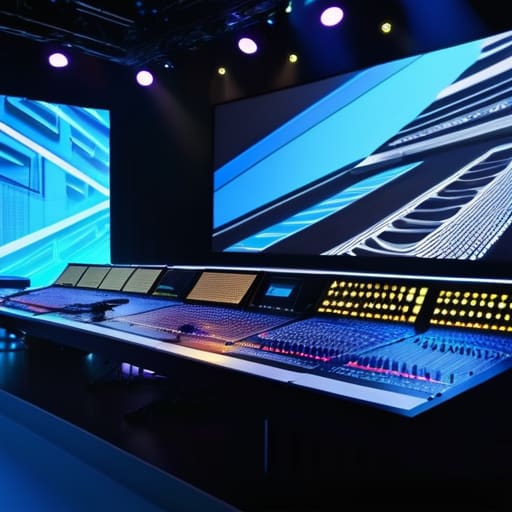
I once watched a wedding breakfast turn into a silent comedy of errors because the groom’s “cinematic” slideshow froze halfway through, leaving eighty people staring at a spinning loading icon while the bride’s father tried to find his words in the awkward quiet. Most people looking for a complete guide to event AV are being sold a dream of immersive LED walls and laser shows that look incredible in a brochure but fall apart the moment someone trips over a cable or plugs a laptop into a socket that doesn’t have enough juice. You don’t need more glitter; you need a sound technician who understands that a wireless mic is only as good as the frequency it’s fighting for in a room full of smartphones.
I’m not here to sell you on the magic of light shows or expensive gimmicks that won’t matter once the guests start dancing. Instead, I’m going to give you the unvarnished truth about power draws, signal interference, and the critical timing required to get your tech running before the first course hits the table. This is about the invisible infrastructure that ensures your event actually works, rather than just looking pretty in a post-event highlight reel.
Table of Contents
The Event Audiovisual Equipment Checklist Beyond the Pretty Lights
When you sit down to build your event audiovisual equipment checklist, stop looking at the brochures for the moving heads and laser arrays. Those are the vanity items. If you want to avoid a crisis, you start with the backbone: power and signal. I’ve seen more weddings derailed by a single tripped circuit breaker during the first dance than by a lack of fancy strobe lights. You need to map out your total power draw—not just for the band, but for the caterer’s warming trays and the DJ’s subwoofers. If your audio visual production planning doesn’t account for the exact wattage required to run everything simultaneously, you aren’t planning an event; you’re planning a blackout.
Then there is the matter of the “invisible” gear. People obsess over the visual projection technology to show a slideshow, but they forget the cables that connect it to the source. I always tell my clients: if it isn’t tethered, it isn’t reliable. You need redundant backups for every critical signal path. If your main laptop fails during the keynote, you shouldn’t be watching a technician scramble through a tangle of wires while the room goes silent; you should be switching to a secondary unit that was already live and waiting in the wings.
Audio Visual Production Planning Mapping the Power and the Chaos
Here is where most people lose their minds. You can have the most expensive visual projection technology on the market, but if you haven’t mapped out the power draw, you’re just paying for a very expensive way to trip a circuit breaker mid-keynote. I’ve seen it happen more times than I care to admit: the lights dim for the big reveal, the screen flickers, and suddenly the entire room is plunged into a dark, awkward silence while a technician scrambles for a flashlight. Audio visual production planning isn’t about choosing the prettiest gear; it’s about calculating the load. You need to know exactly how many amps that stage lighting for events is pulling before you plug it into a socket that was designed to run a single coffee urn.
Then there is the human element—the “chaos” part of the equation. You can’t just hand a clipboard to a random staffer and hope for the best. You need to define clear AV technician roles and responsibilities during the load-in. I need to know who is managing the wireless mic frequencies so the DJ doesn’t accidentally hijack the CEO’s presentation, and who is responsible for the immediate failover if a laptop decides to run a mandatory update ten minutes before doors open. If you haven’t accounted for the physical space these people need to move, your “seamless” production will be a bottleneck of tangled cables and stressed-out engineers.
Five Hard Truths About AV That Your Planner Won't Mention
- Test your wireless mics in the actual room, not the hallway. I’ve seen more weddings derailed by a sudden burst of interference from a guest’s smartphone or a nearby radio tower than by any actual technical failure. If you aren’t running a frequency check in the space two hours before doors open, you’re just gambling.
- The “one extension lead” myth. Everyone thinks they can daisy-chain a few strips together to get power to the DJ and the slideshow. You can’t. If your caterer is running warming lamps and your AV guy is running a projector, you are going to trip a breaker mid-toast, and there is nothing more awkward than a silent room and a dark stage.
- Don’t trust the “built-in” house sound. Even if the venue says they have a system, ask for the specs. Most “house audio” is fine for background jazz during a cocktail hour, but the moment you try to play a high-energy dance set or a sentimental video with delicate audio, it’s going to sound like a tin can in a wind tunnel.
- The “Presentation Slide” trap. If you are running a slideshow, do not—under any circumstances—rely on the client bringing their own laptop and plugging it in via HDMI five minutes before the speeches. It is a recipe for a digital heart attack. Have the files on a dedicated, tested drive, and make sure the aspect ratio matches the screen, or you’ll be staring at black bars for twenty minutes.
- Plan for the “Dead Air” transition. There is always a gap between the ceremony finishing and the guests finding their seats for dinner. If your AV guy doesn’t have a pre-programmed playlist ready to bridge that gap, you’ll be left with a room full of people standing in an uncomfortable, heavy silence while the technicians scramble to reset the mics.
The Final Countdown
At the end of the day, a successful AV setup isn’t about having the flashiest laser show or the most expensive LED wall; it’s about ensuring the person giving the toast isn’t fighting a feedback loop and the keynote speaker isn’t standing in a dark corner because someone forgot to check the floor sockets. You’ve mapped the power, you’ve checked the signal paths, and you’ve accounted for the unforeseen chaos of a guest tripping over a cable. If you’ve done the heavy lifting on the logistics—the boring, unphotogenic stuff like cable management and load-in schedules—you’ve already won half the battle. Remember, the best AV is the kind that nobody notices, because it simply works exactly when it’s supposed to.
As you move toward your event date, keep your eyes on the clock and your mind on the transitions. Everything is moving toward that licence end, and the tech needs to be a bridge, not a barrier, to the experience you are trying to create. When the lights go down and the sound hits that perfect, crisp note, your guests won’t be thinking about the decibel levels or the voltage; they’ll be caught up in the moment you worked so hard to build. Plan for the friction, prepare for the failure points, and then step back and let the event happen. You’ve done the math; now let the magic take over.
Frequently Asked Questions
If I'm hiring my own AV team, how do I know if they actually understand the physical limitations of my specific venue?
Don’t ask them if they’ve seen the venue; ask them where the breaker panel is and how many amps they need for their rig. If they don’t ask about the floor load, the width of the service lift, or the distance from the stage to the nearest power source, they aren’t planning—they’re guessing. A real pro knows that a beautiful setup is useless if it trips the circuit halfway through the first dance.
At what point does adding "just one more" piece of tech start to threaten the power supply or the actual flow of the evening?
It starts the moment you stop thinking about what the tech does and start thinking about what it needs. You hit the wall when your “just one more” wireless mic or extra LED wash pushes your total wattage into the red, or when a massive screen creates a physical bottleneck that kills the natural flow of a room. If you can’t trace every cable back to a safe power source without tripping over a guest, you’ve gone too far.
How do I build a contingency plan for when the wireless mic cuts out or the laptop refuses to connect right as the speeches are supposed to start?
You don’t build a contingency plan on paper; you build it in the hardware. First, never rely on a single wireless mic—always have a wired one sitting on the lectern, plugged in and ready. Second, stop trusting Bluetooth or “seamless” dongles. Have a dedicated laptop hardwired into the system and a backup USB drive with every single presentation on it. If the tech fails, you don’t panic; you just switch to the backup that’s already running.